


 Dec 9, 2025 ·
  4 min read ·
  Summarize in ChatGPT
Managing a Google Ads campaign often sounds easier than it is, as many businesses expect instant results, quick tweaks, and steady growth on autopilot.
The reality is that Google Ads operates on its own rhythm; learning phases, data delays, and conversion cycles all influence how fast results stabilize and how often meaningful adjustments can be made.
The time investment depends on how the platform processes data, how your campaigns are structured, and how quickly insights become reliable. Rushing this process can lead to decisions based on incomplete data or premature optimizations that set performance back.
In This Blog:
Find out how long it really takes to manage a Google Ads campaign successfully. Learn about Google’s learning periods, conversion lags, and automation tools impact your results, plus practical ways to save time and improve ROI.
What Drives the Time Investment?
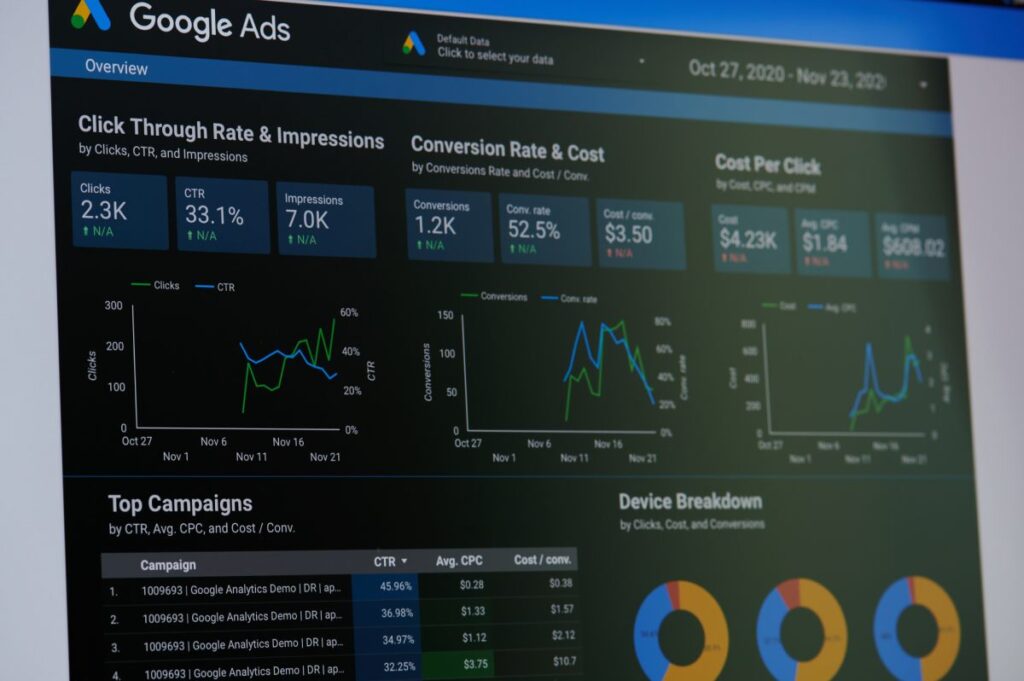
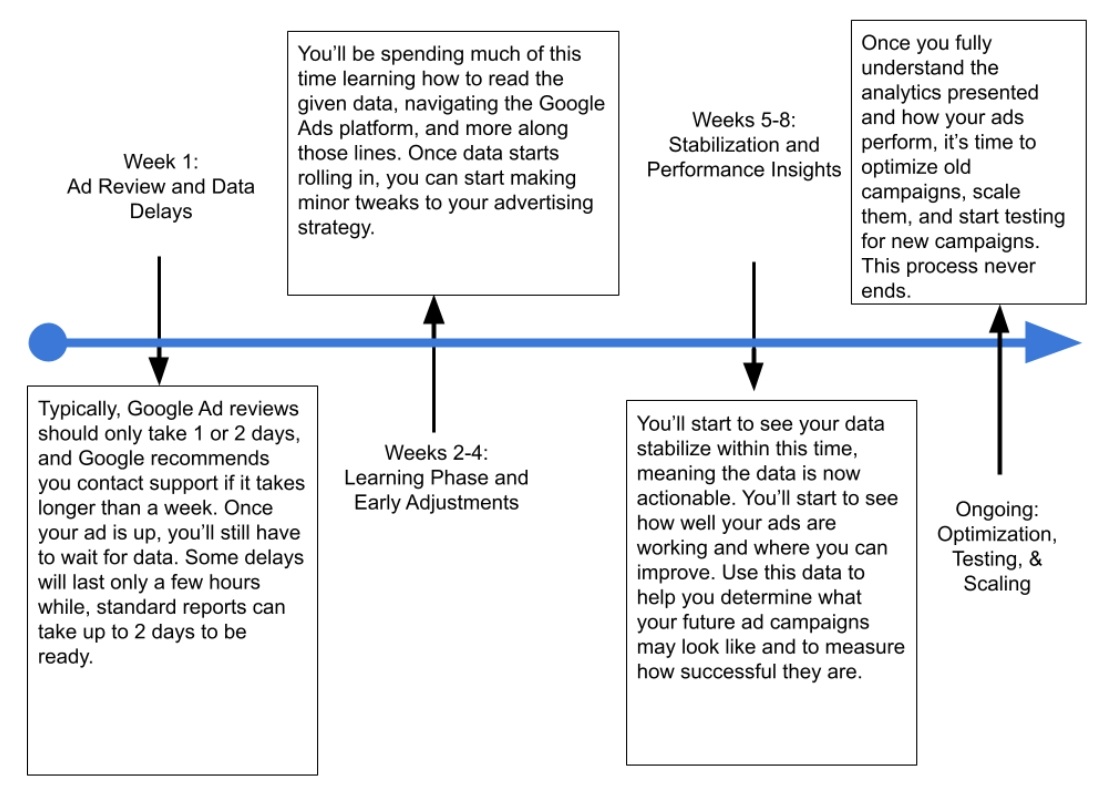
Knowing how the Google Ads system processes bids, audiences, and quality scores is essential to managing campaigns efficiently. Every stage of a campaign is influenced by Google’s internal review processes, data freshness, and automated learning cycles.
These factors determine when meaningful data becomes available and when adjustments are actually warranted.
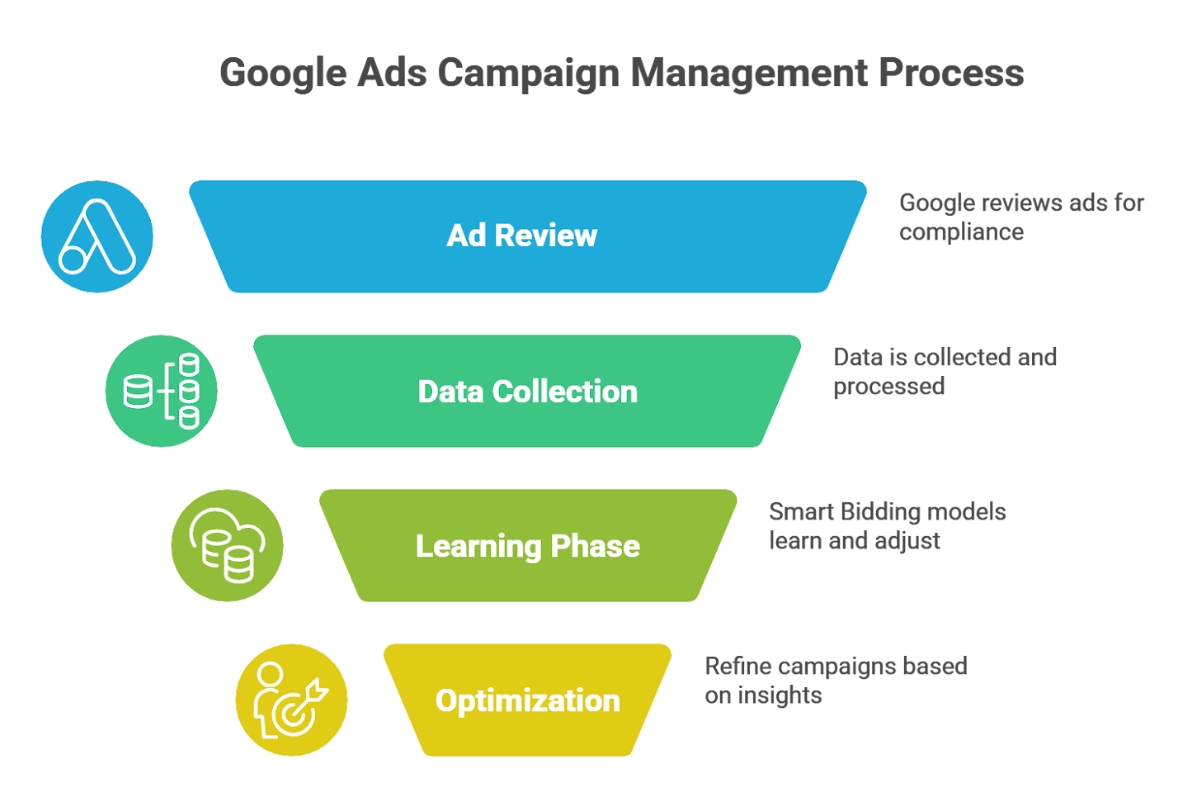
The Learning Curve Behind Automated Bidding
Powered by machine learning, Smart Bidding models like Target CPA and Maximize Conversions analyze vast amounts of data to improve campaign efficiency.
Google Ads recommends allowing approximately 50 conversion events, or around three full conversion cycles, before evaluating performance. During that period, results can fluctuate; intervening too early risks resetting the learning process and delaying stability.
Performance Max campaigns need even more breathing room, requiring three to four weeks before making changes to creative assets or judging performance insights.
| Bidding Strategy | Learning Period | Conversions Needed | Best Evaluation Window |
| Target CPA | ~7 days | 50+ | 2–3 weeks |
| Maximize Conversions | ~7 days | 50+ | 2–3 weeks |
| Performance Max | 3–4 weeks | Ongoing | 4–6 weeks |
Knowing the learning curve helps prevent wasted effort. Many advertisers check in too frequently during these early weeks, making changes before the system has enough context to make reliable predictions.
A steadier rhythm of review, focusing on weekly patterns rather than daily fluctuations, typically yields better outcomes and saves time in the long run.
Finding the Right Optimization Rhythm
Once campaigns stabilize, the management workload shifts from setup to structured optimization and refinement.
Every week, you should:
- Review Google’s Recommendations page. It updates regularly based on how well your ads perform. It can also warn you of issues in your campaign that you can deal with before they escalate to an unmanageable scale. If you use automation, review Google’s weekly summaries as well to ensure your systems are working as intended
- Consider increasing the budget, but only by 10 to 20% at a time. Overinflating the budget could disrupt performance and require more time for Smart Bidding strategies to adjust, force algorithms to relearn, and increase the stabilization period.
- Prepare for seasonal events. Google has a Seasonality Adjustment system to help you prepare your systems for expected growth spikes such as holiday sales. Doing this allows bidding systems to anticipate these short performance hikes and adjust as necessary.
- Go over the Data Exclusions parameters to help correct for anomalies caused by tracking issues or outages. Setting these parameters ahead of peak periods prevents wasted time on emergency fixes and supports steadier bidding behavior during important promotional windows.
Start Turning Time Into Measurable Growth
Managing a Google Ads campaign is about maintaining a steady rhythm, rather than constantly reacting as changes occur.
Understanding how long it takes for ads to be reviewed, data to mature, and automation to stabilize allows for smarter decision-making and consistent results. When time’s invested strategically, every adjustment becomes more meaningful and every insight more reliable.
At 321 Web Marketing, we help businesses build campaigns that perform with clarity and purpose. Schedule a consultation today to start creating campaigns that deliver lasting growth.
Common Questions We Hear About Google Ads
Some industries see results within hours, while others take days or even weeks. Shorter sales cycles make it easier to draw conclusions quickly, but businesses with longer conversion paths need patience before performance data stabilizes.
Google recommends using Time Lag insights when setting conversion windows so data reflects how people actually buy.
Google’s own testing documentation advises running campaign experiments for at least four to six weeks, or longer if conversions take time to occur. Statistical confidence grows with volume and time, so shorter tests rarely provide dependable results.
Bulk editing features enable marketers to update multiple campaigns, ad groups, or keywords simultaneously, significantly reducing the need for repetitive actions. Google Ads Editor provides an offline workspace for making larger edits across multiple accounts, which can then be uploaded in a single step.
Automated rules further reduce the need for daily monitoring. Campaigns can be programmed to adjust budgets, modify bids, pause underperforming ads, or send email alerts when conditions are met. These automations keep campaigns responsive without demanding constant attention.
Kim Greer
OFP Law
One of the best business decisions I ever made was to contract with 321 Web Marketing. Jonathan Gessert and his team are knowledgeable, efficient, and effective, making digital marketing goals easy to achieve and helping [...]

Kelly Cole
Business Benefits Group
My company hired 321 Web Marketing in February 2016 to resurrect our web site. We feel our web site is the face to our business and desperately needed a make over. 321 took us from blah to WOW effortlessly and what a difference [...]

Emily Hawkins
Diener & Associates
Thanks to 321 Web Marketing, the client has seen an increase in their search engine leads, averaging 12 qualified leads per month. The client has also achieved prominent Google Maps and search placement. The team manages the engagement [...]
Trevor Telesz
Paw Pals Pet Sitting
321 Web Marketing successfully translated the client’s design into a stunning and refreshed website, ensuring seamless functionality across all dynamic views. The team provided clear timelines and stuck to them, keeping everything [...]

Corey Davis
Spartan Animal & Pest Control
321 Web Marketing is truly phenomenal at what they do. Their ability to communicate and describe the steps and actions that they are implementing , Alex Zarpas in particular, is excellent. Delivering on promises is all they have done for me [...]

Alec Roberts
MFE Insurance
I can’t say it enough, Jonathan and his team have gone above and beyond since day one to accommodate our needs and meet our goals. I run a specialty insurance brokerage based in LA and once we found 321 we never looked [...]

Richard Wilbur III
Advantage.Tech
Thanks to 321 Web Marketing’s web development work, the client increased rankings and traffic from search engines. Also, their business secured prominent positions on Google Maps and industry-relevant, profitable keywords. The client also [...]

Bruce Gemmill
FVCbank
After the website revamp, the client saw a steady rise in leads from search engines, resulting in additional traffic. 321 Web Marketing is highly punctual when it comes to deliverables, and internal stakeholders are impressed with the service [...]

Drew Weeks
VAE
321 Web Marketing delivered a sleek website that accurately portrays the size and quality of the client’s organization. All of their completed websites have received positive feedback from users who have been impressed by the UX/UI. The [...]

Ryan Masten
Masten Pools
321 Web Marketing has increased the client’s leads from zero to 53 monthly. Their SEO efforts pay off impressively due to a top-ranking position on Google and making the site the number one result for several local service keywords. The [...]